The Cleanest, Fastest PDF Reader for Android.
Zero advertisements, zero bloat, and total on-device privacy. Experience fluid 120 FPS rendering, category folders (General, Important, Private), and memory-backed state restoration.
Welcome to Smiley PDF.pdfImportant
Saved in Library • 2.4 MB
Zero-Lag Document Reading Experience
Smiley PDF features an optimized native rendering pipeline. Zoom, flick, and scroll through hundreds of pages smoothly with continuous memory-backed state preservation.
Restores page, matrix zoom, and scroll offset automatically.
Single clean action to save documents into General, Important, or Private storage.
Built for Speed. Guarded by Privacy.
Every component in Smiley PDF is refined for uncompromising performance, beautiful themes, and total local ownership.
120 FPS Fluid Rendering
Engineered with a native hardware-accelerated rendering engine. Pinch, pan, and flick through 500+ page documents with zero stutter or white-screen flash.
Physical Folders & Biometric Vault
Organize your documents with General, Important, and Private Vault. Protect sensitive files with fingerprint or phone PIN lock and auto-lock on leave.
Instant State Restoration
Reopen any document and immediately return to your exact page number, zoom scale, and scroll position. Never lose your reading spot again.
Instant In-Document Search
Search through text in real-time with highlighted query occurrences and instant navigation between matches across any document page.
OLED Pure Black & Auto Dark
Engineered for battery efficiency with true OLED black (#000000) and seamless system auto-switching. Crisp contrast that is easy on your eyes at night.
100% On-Device Privacy
Your PDFs never touch remote servers. Files remain strictly inside your device’s sandboxed directory with zero telemetry and zero cloud harvesting.
Physical Folders & Biometric Vault
Eliminate cluttered stars and unorganized lists. Categorize cleanly with real on-device folders, and protect sensitive papers in a biometric-locked Private Vault.
General
14 DocumentsEveryday Library Storage
Important
6 DocumentsPriority & Flagged Files
Private Vault
Biometric ProtectedPhone Lock & Biometrics (Fingerprint / PIN)
Custom Folders
UnlimitedUser-Defined Hierarchies
Private Vault
Active SelectionPhone Lock & Biometrics (Fingerprint / PIN)
Biometric & device lock protected vault. Requires fingerprint, face unlock, or phone PIN/password to open. Files are quarantined from public gallery scans with auto-lock on leave and 1-tap quick move from the reader menu.
Sample Documents in Private Vault
Tax Return FY25.pdf
Saved in Private Vault • Sandboxed Local
Passport Copy & Visa.pdf
Saved in Private Vault • Sandboxed Local
Health Insurance.pdf
Saved in Private Vault • Sandboxed Local
Integrated PDF Tools
All the document security and conversion tools you need—built directly into Smiley PDF with 100% offline privacy and zero cloud uploads.
Encrypt PDF
Add password lock & military-grade AES-256
Protect confidential documents directly on-device with strong owner and user password security. Passwords are never sent to external servers or remote clouds.
Decrypt PDF
Remove passwords & unlock restricted PDFs
Instant in-app decryption for authorized password-protected documents. Strip permissions restrictions to effortlessly read, share, or save clean unencrypted PDF copies.
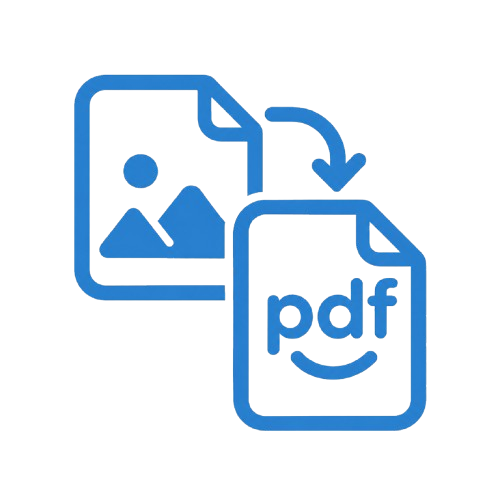
Images to PDF
High-speed camera & gallery compiler
Convert camera captures, receipts, invoices, and gallery photos into crisp, standardized multi-page PDF documents with custom margins and quality compression.
Quick Preview & Vault
Long-press preview & 1-tap private move
Long-press any document in Library or Recent files for an instant live sheet preview with quick share, delete, and 1-tap quick move into your biometric Private Vault.
Your Documents Are Yours Alone. Always.
Most modern mobile PDF tools secretly index your papers, upload them for background processing, or lock your own files behind monthly recurring paywalls. Smiley PDF takes the opposite approach: zero telemetry, zero cloud harvesting, and absolute local privacy.
Zero Cloud Transmission
Documents opened or saved in Smiley PDF are never uploaded to any cloud server, third party API, or remote database. What happens on your phone stays strictly on your phone.
No Advertising or Data Tracking
We do not embed third-party advertising SDKs, behavioral fingerprinting scripts, or telemetry trackers. Your reading habits are 100% confidential.
Local Sandboxed Privacy Folders
Your Private folder documents are quarantined on-device. No external applications can scan or read your saved PDFs without explicit OS security authorization.
Ready to Experience Fluid, Private PDF Reading?
We are finalizing the Google Play release. Join our active cohort of internal testers to get immediate access, preview new features first, and shape the future of Smiley PDF.